 1da6730735
This commit adds the complete Dangerous Pi web management interface with all MVP features implemented and tested locally.

## New Features

### Backend (Python + FastAPI)
- Complete FastAPI backend with async support
- 40+ API endpoints (Health, PM3, WiFi, Updates, UPS, BLE, Plugins)
- 6 managers: Session, WiFi, Update, UPS, BLE, Plugin
- SQLite database with sessions, config, history, crash reports
- Server-Sent Events (SSE) for real-time notifications
- Mock PM3 worker for development without hardware

### WiFi Manager
- Interface detection (USB vs built-in)
- Network scanning with signal strength
- Mode switching (AP/Client/Dual/Auto/Off)
- Network connection with password support
- Hidden SSID and saved networks support
- Static IP and DHCP configuration
- 10 WiFi API endpoints

### Update Manager
- GitHub releases API integration
- Automatic periodic update checks
- Semantic version comparison
- Update download with progress tracking
- SHA256 checksum verification
- Automatic installation with backup and rollback
- PM3 client rebuild after updates
- 6 Update API endpoints

### UPS Manager
- I2C battery monitoring (MAX17040-compatible)
- Battery percentage, voltage, current tracking
- Power source detection (AC/Battery)
- Safe shutdown triggers at configurable thresholds
- Event callbacks for battery warnings
- SSE and BLE notification integration
- 3 UPS API endpoints

### BLE Manager
- Bluetooth Low Energy notification support
- Auto-detects BLE capability
- Multiple notification types (updates, battery, shutdown, etc.)
- BLE advertising management
- Device connection tracking
- 4 BLE API endpoints

### Plugin Framework
- Dynamic plugin loading/unloading
- Plugin lifecycle management (load, enable, disable, unload)
- Hook system for extensibility
- JSON-based metadata
- Example "Hello World" plugin included
- 7 Plugin API endpoints

### Frontend (Remix.js + React)
- Cyberpunk-themed responsive UI
- Dashboard with system status
- PM3 command interface with history
- Settings page with WiFi and Update management
- Command logs viewer
- Theme toggle (Dark/Light/Auto)
- Server-side rendering (SSR)
- Mobile-first responsive design

### System Integration
- Systemd service with security hardening
- Automated install/uninstall scripts
- Environment configuration template
- Hardware access groups (i2c, bluetooth, gpio, dialout)
- Pi-gen stage 04 integration for OS image building
- Port conflict resolution with ttyd-bash
- I2C interface auto-enable for UPS HAT

### Testing
- test_backend.py - Backend API tests
- test_ups.py - UPS manager tests
- test_ble.py - BLE manager tests
- test_plugins.py - Plugin manager tests
- All tests passing locally

### Documentation
- 12 comprehensive documentation files
- claude.md - AI development guide
- WIFI_MANAGER.md - WiFi management guide
- UPDATE_MANAGER.md - Update system guide
- PORT_CONFLICT.md - Port conflict resolution guide
- MVP_COMPLETE.md - MVP implementation summary
- PROJECT_STATUS.md - Project status and roadmap
- systemd/README.md - Service management docs
- pi-gen integration documentation

## Technical Details
- ~5,000+ lines of backend code
- 11 Python dependencies (smbus2 added for UPS)
- FastAPI with async/await throughout
- Type hints and docstrings on all functions
- RESTful API design with SSE for notifications
- Security hardening (non-root, protected dirs, resource limits)

## Next Steps
- Deploy to Raspberry Pi Zero 2 W hardware
- Test with real Proxmark3 device
- Test UPS HAT integration
- Test BLE on Pi hardware
- Build custom OS image with pi-gen
- Performance optimization for Pi Zero 2 W

🤖 Generated with [Claude Code](https://claude.com/claude-code)

Co-Authored-By: Claude <noreply@anthropic.com>
2.8 KiB
Dangerous Pi
Modern web interface for Proxmark3 management on Raspberry Pi Zero 2 W
Dangerous Pi extends the pi-pm3 project with a sleek cyberpunk-themed web interface, automatic updates, session management, and advanced features designed for Dangerous Things.
Features
- 🎨 Cyberpunk UI - Dark mode default, lightweight, responsive
- ⚡ FastAPI Backend - Async Python with SSE for real-time updates
- 🔧 PM3 Integration - Uses official Python bindings from iceman fork
- 📱 Mobile-First - Works great on phones and tablets
- 🔐 Session Management - Single-user with takeover support
- 📊 Real-time Status - Live system monitoring and notifications
- 🚀 Auto Updates - GitHub releases integration (planned)
- 🔋 UPS Support - Battery monitoring and safe shutdown (planned)
Quick Start
See GETTING_STARTED.md for complete setup instructions.
Development
# Backend
pip install -r requirements.txt
python -m app.backend.main

# Frontend (in another terminal)
cd app/frontend
npm install
npm run dev
Then open http://localhost:3000
Existing pi-pm3 Features
All you need to do is boot from this image and enjoy using your pm3 over wifi.
This image is configured to set up a wifi access point, and SSH, web bash shell and a web pm3 cli
The default user credentials are - username: dt password: proxmark3
usage
You can burn the image to a sd-card using https://etcher.balena.io/
Insert the sd-card in your RPI Zero 2 w and power it on.
Wait for one minute for the OS to boot and then connect to the Access Point using the following credentials
SSID: raspi-webgui
Password: ChangeMe
AP management interface
Management interface: http://10.3.141.1/
IP address: 10.3.141.1
Username: admin
Password: secret
DHCP range: 10.3.141.50 — 10.3.141.254
SSID: raspi-webgui
Password: ChangeMe
web shell
- web shell (u: dt ; p: proxmark3) at http://10.3.141.1:8000/
web pm3 console
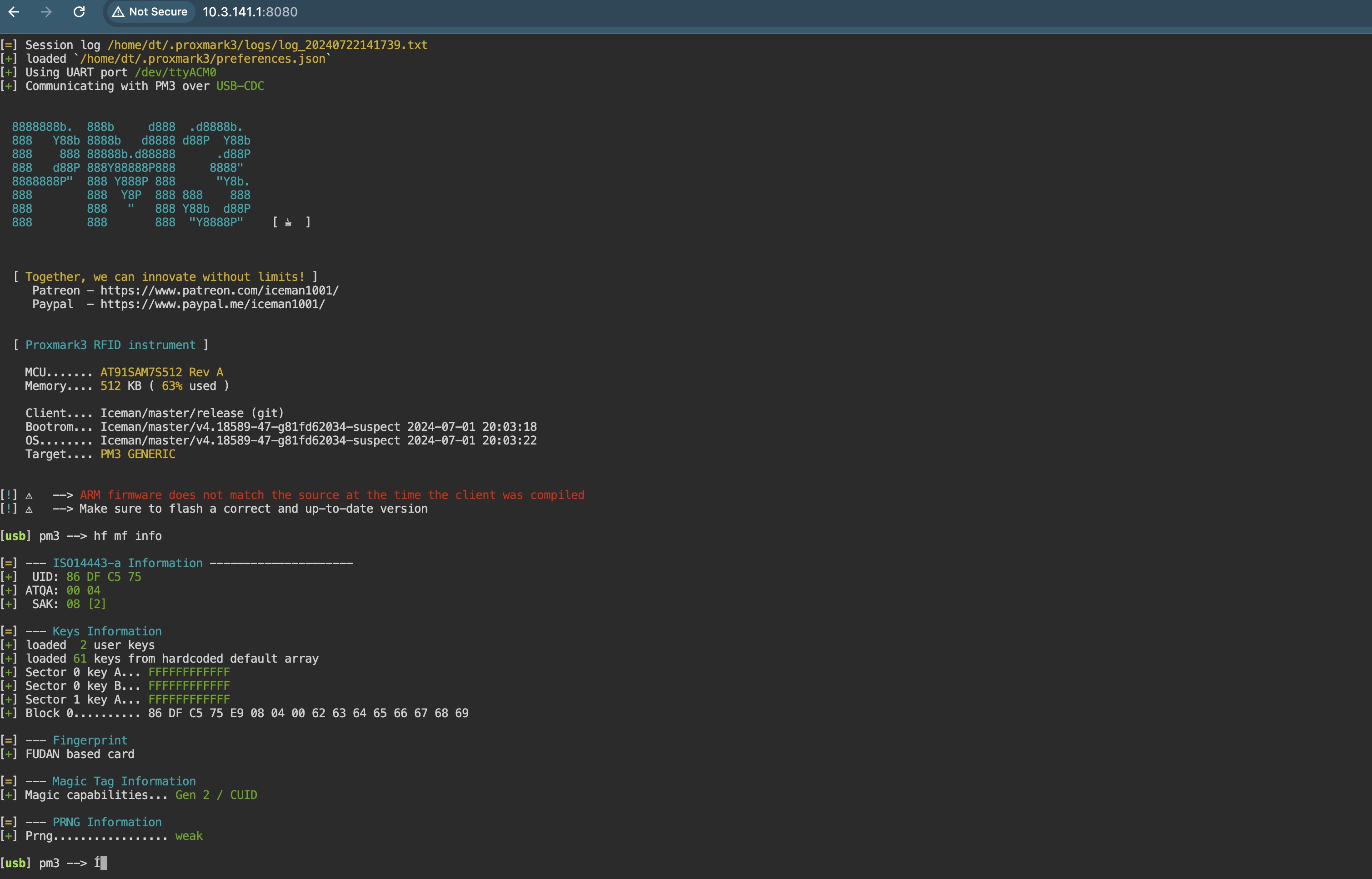
- pm3 shell (u: dt ; p: proxmark3) at http://10.3.141.1:8080/

build
To build new image you should follow the steps below: (Tested only on Apple Silicon macbook)
- checkout pi-gen
git clone https://github.com/RPi-Distro/pi-gen.git pmbuild - copy the content of pi-pm3 folder to pmbuild
cp -rp pi-gen/* pmbuild/ - Checkout the arm64 branch of pi-gen
cd pmbuild; git checkout arm64 - make sure you have a docker server running (or any of it's alternatives https://spacelift.io/blog/docker-alternatives)
- start the build in a docker container
./docker-build.sh
On a successful build you should get something like the screenshot blow:

CHANGELOG
- v1.1.0
- Updated dependencies for debain Trixie.